Provided KYC UI components
Use the hosted zKYC verification plateform to keep sensitive data inside a trusted flow.
Start a new verification
Redirect users to the hosted UI to begin the zKYC verification process.
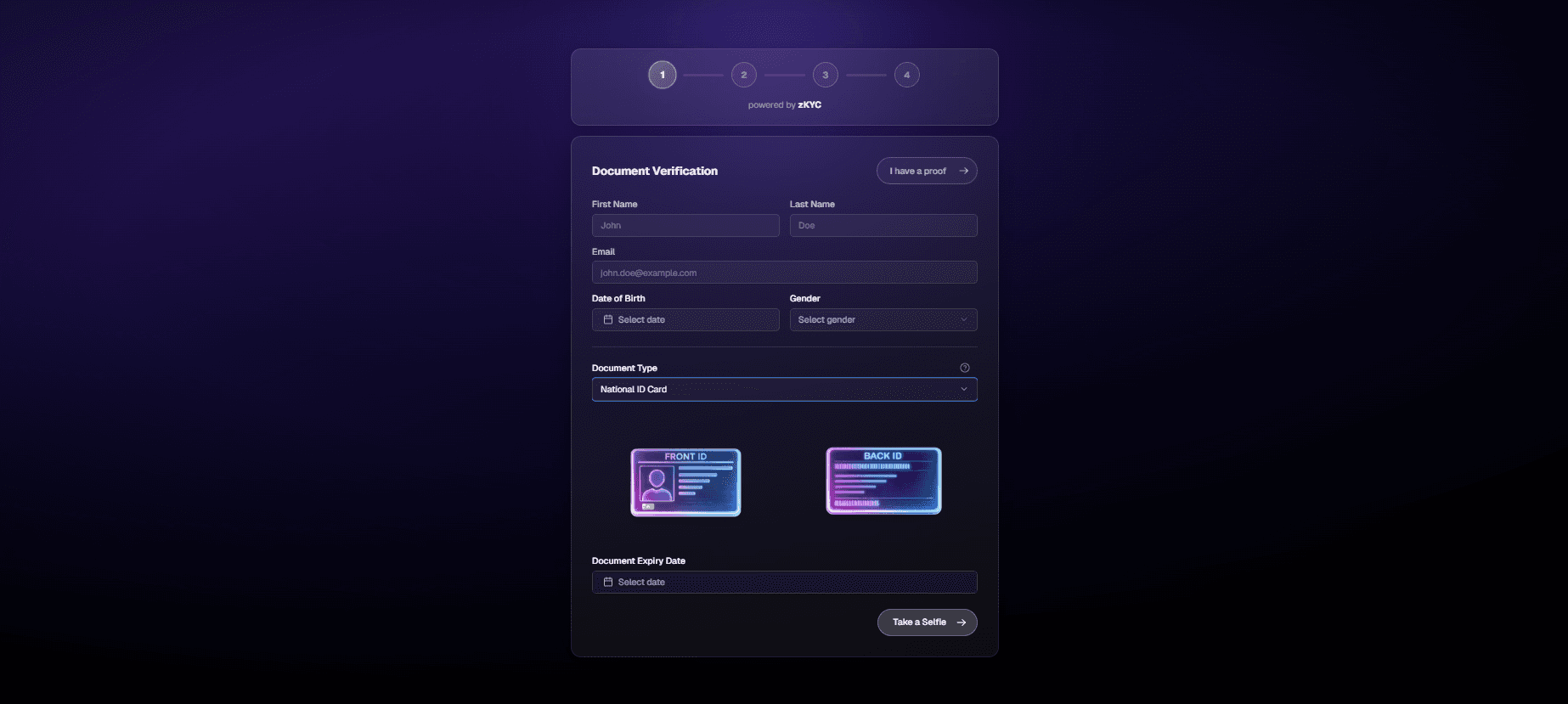
Document submitions
Users submit an identity document of their choice for verification. The document is analyzed to ensure its authenticity and to detect potential forgery.
Facematch
After submitting the document, the user is required to take a photo of their face. This image is matched against the portrait extracted from the previously submitted document.

Liveness check
To confirm that the user is a real, living person, a liveness check is performed. This step prevents fraud attempts using static images or automated systems.

Waiting responce
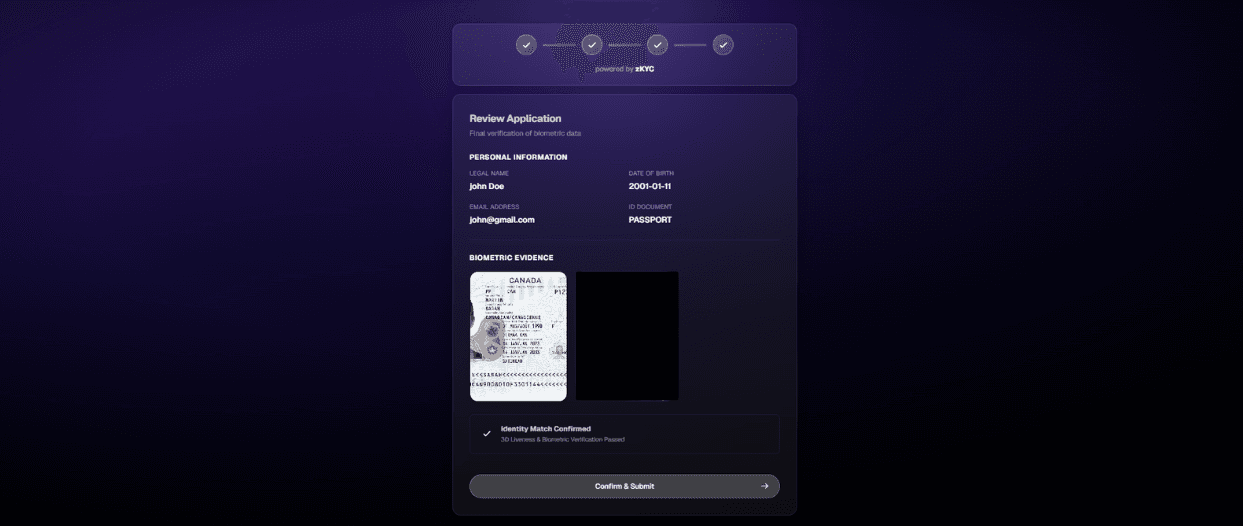
Once all verification steps are completed, the KYC request is submitted and processed by our backend.
Processing time typically ranges from 1 to 15 minutes.
Received proof
After successful verification, the user can download their zKPass proof as a JSON file.

Proof verification
Users who already possess a valid zKPass proof can verify their identity without repeating the zKYC submission process on any platform that supports zKYC verification.

Note: zKPass proofs are not permanent. They remain valid only while the associated identity document is still valid.